 Mob
MobTeam chat that doesn't
charge you per person.
Mob is a chat app for work, the same shape as the one you're probably using now — channels for topics, direct messages for one-to-one, threads so a side conversation doesn't bury the room, and a search box that finds it all again. The difference is where it lives: on a server that belongs to you, with no monthly fee per person and nothing counted.
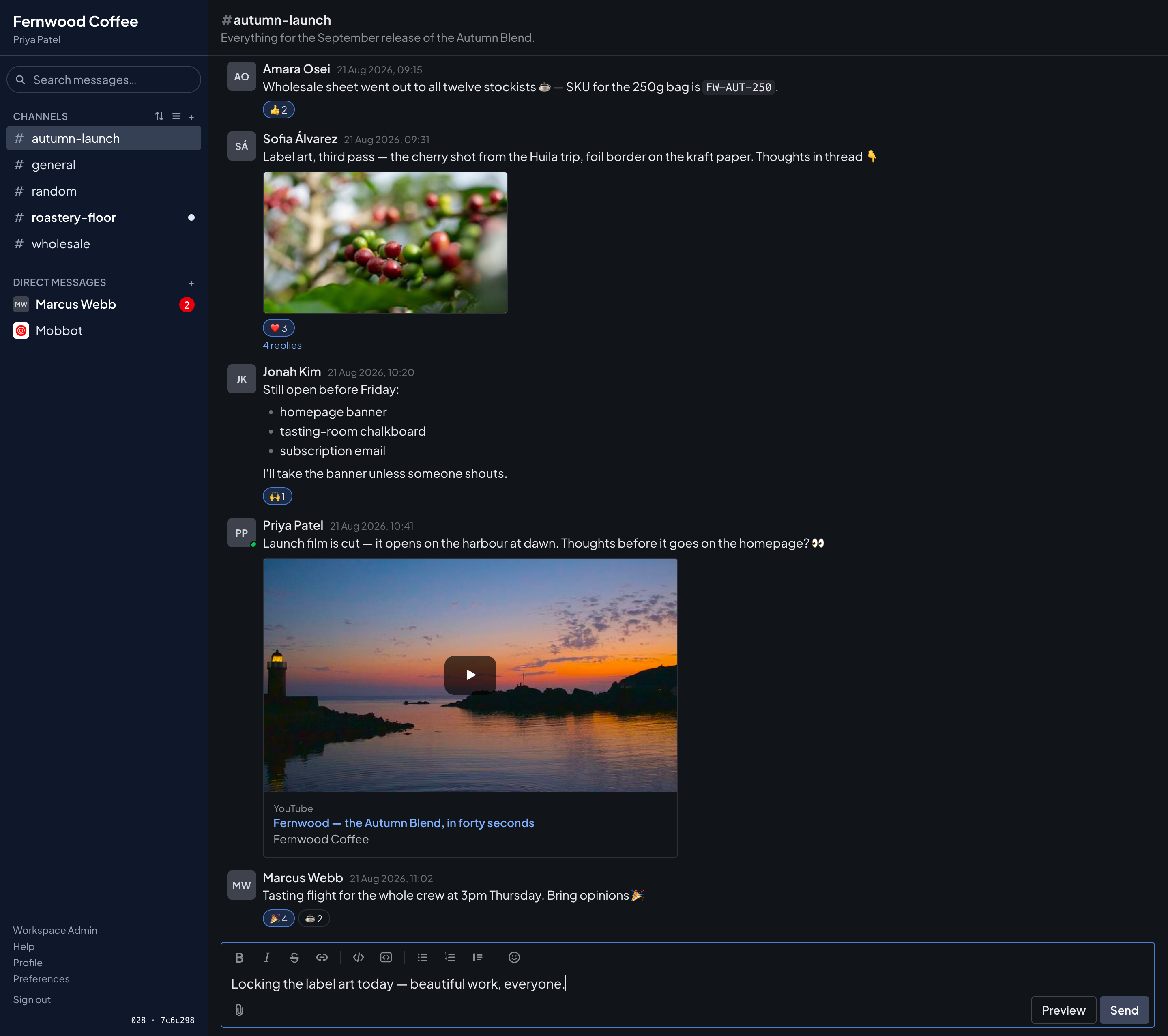
Nobody needs training
If your team has used Slack, Teams or Discord, they already know how to use this. Places to talk down the left, the conversation in the middle, a box at the bottom. The first day is not a project.
The bill doesn't grow with the team
The app is free, with every feature switched on. You rent one ordinary server to run it on, and that bill stays the same whether five people use it or five hundred — so hiring never makes chat more expensive.
Somebody has to install it — it can be me
This is the honest catch: free software still has to be put on a server. Doing that, moving your old messages across, and proving the backups work is the part I charge for. The deal, in full.
Everything a team chat needs.
Nothing it doesn't.
Channels, direct messages, threads, search, files and emoji — built by somebody with firm opinions about not interrupting you.
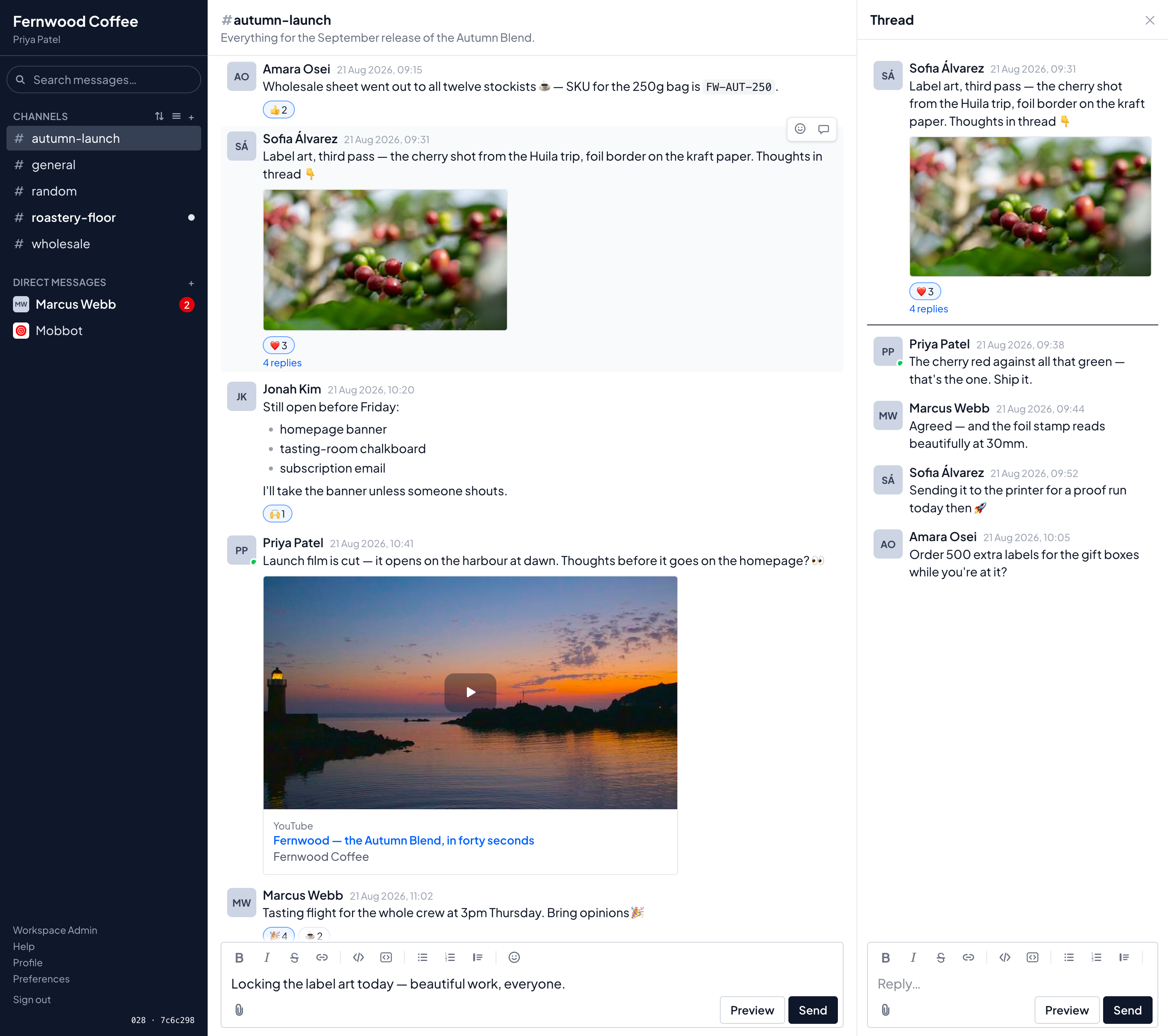
Replies that stay out of the way
When somebody answers a message, the answer doesn't land in the middle of the room for everyone to scroll past. It opens in a panel beside the conversation, and the channel shows a quiet “4 replies” link instead.
- Only the people in that conversation are told about a reply. The channel doesn't light up for everyone else.
- Bold, bullets, links and code all work — with buttons for them, so nobody has to memorise anything, and a preview before you send.
- React with emoji, including ones your team uploads itself.
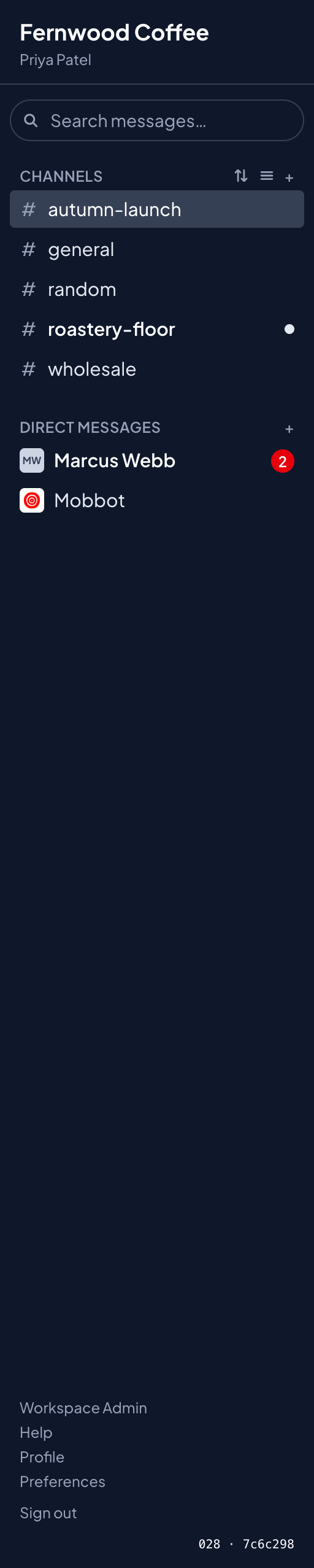
It tells you what's new. Nothing else.
The list down the left is a list of places, not a list of obligations. A channel with something new in it gets a dot. Only direct messages show a number, because those were actually addressed to you.
- There are no read receipts, and no setting that turns them on. Nobody can tell whether you've opened their message, or when.
- It remembers where you got to. Scroll up to read back and it puts you where you left off — and it won't stick a new message underneath a gap you haven't read yet.
- Mute anything you'd rather check when you feel like it.
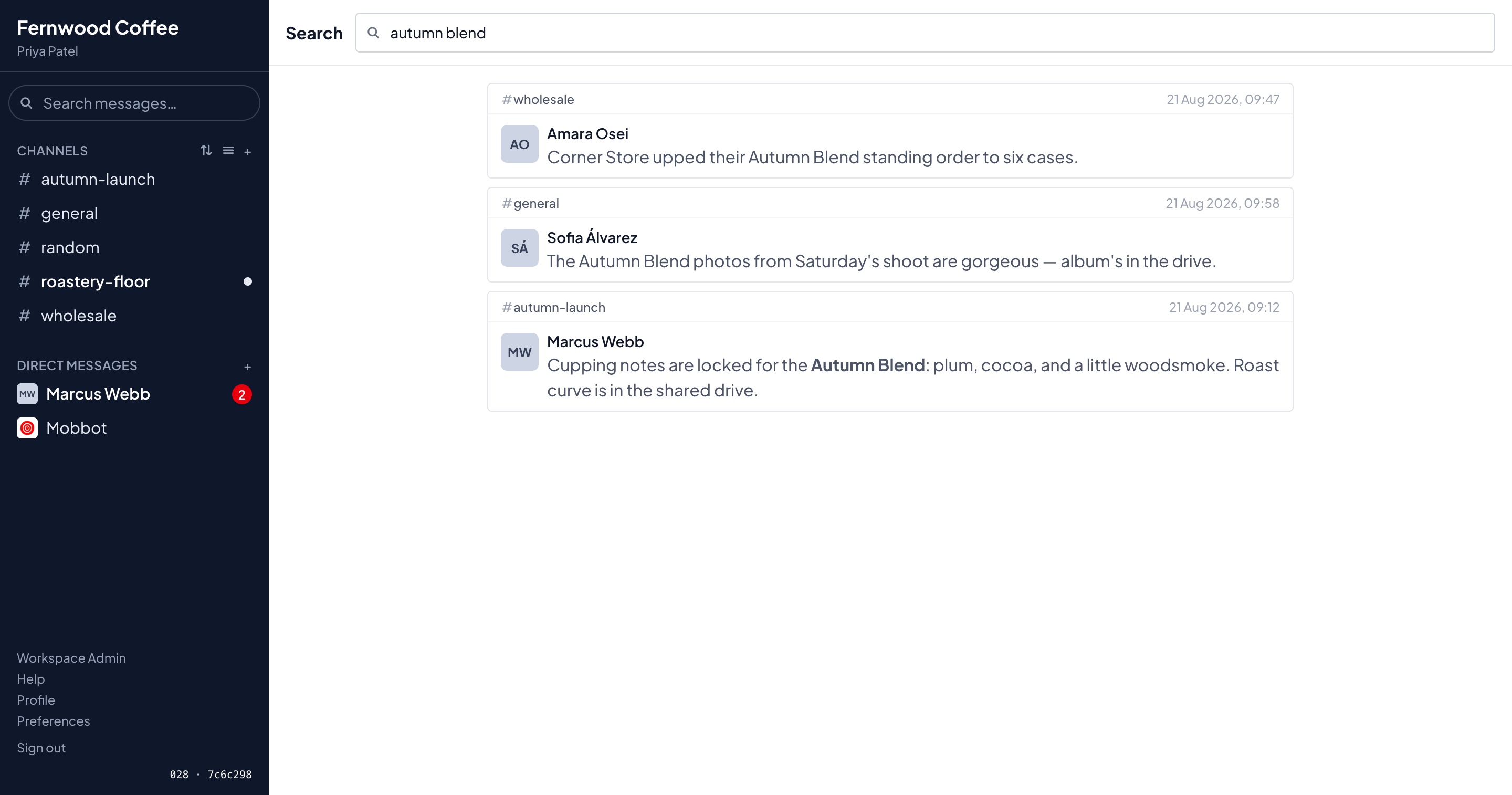
Find the thing somebody said in March
Type it into the box at the top. Mob searches every channel you're in — and only those, so a search can never show you a room you were never part of.
- Every result says where it came from — which channel, who wrote it, when. Click it and you land on the message itself, with the conversation around it.
- Emoji count as words: a message with 🎉 in it turns up if you search for “tada”.
Files, and links that don't tell tales
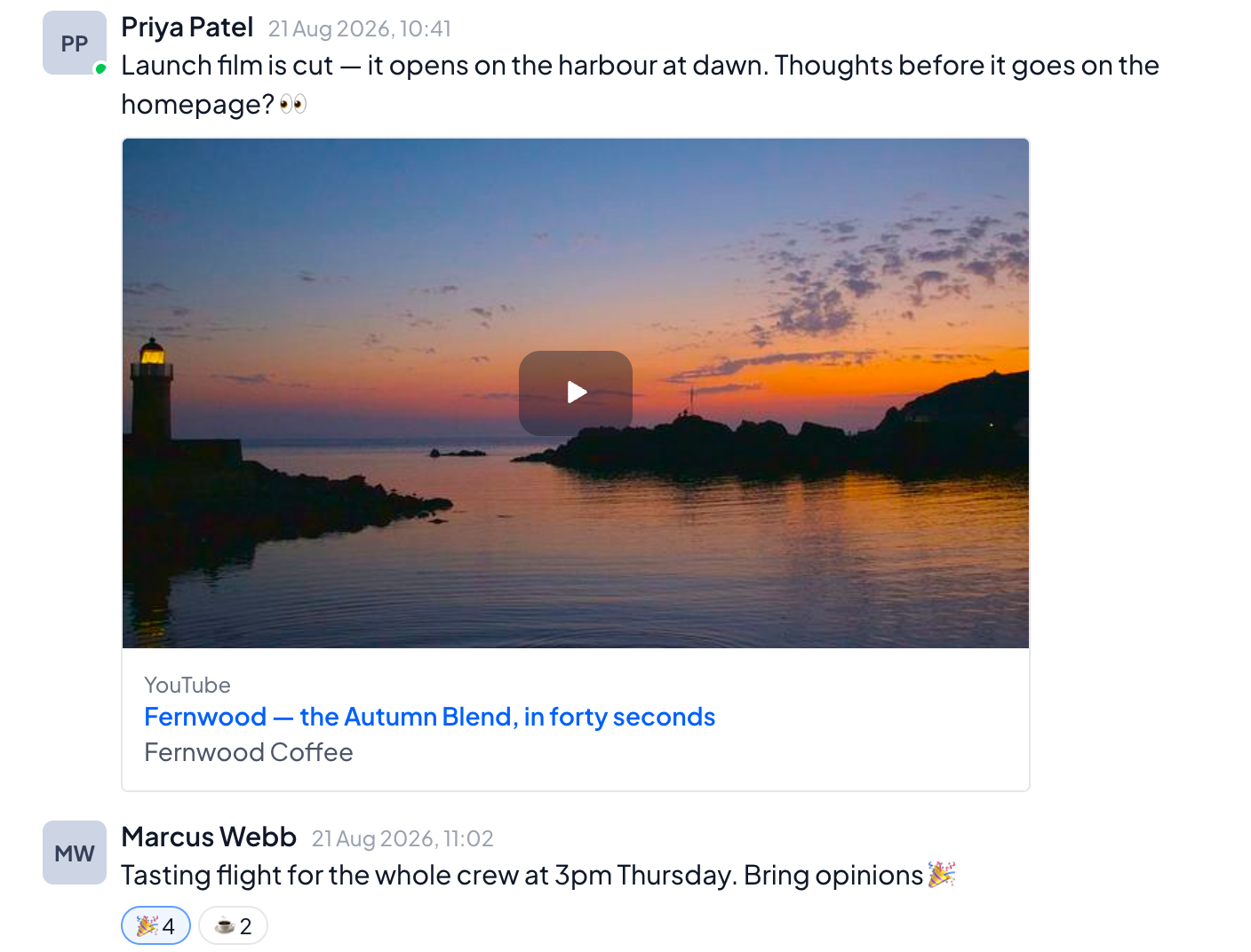
Drag a file in and it goes straight to your own storage. Paste a link and Mob draws a card for it — a picture, a headline, a play button. What it doesn't do is quietly introduce your team to the website on the other end.
- A video link shows a picture and a play button. YouTube isn't contacted at all until somebody actually presses play, so scrolling past a link tells them nothing about you.
- Posts from X and Mastodon show as words — who wrote it and what they said — and load nothing from those sites at all.
- The picture on a card is copied into your storage the first time, so nobody's browser has to go and fetch it.
The same thing on your phone
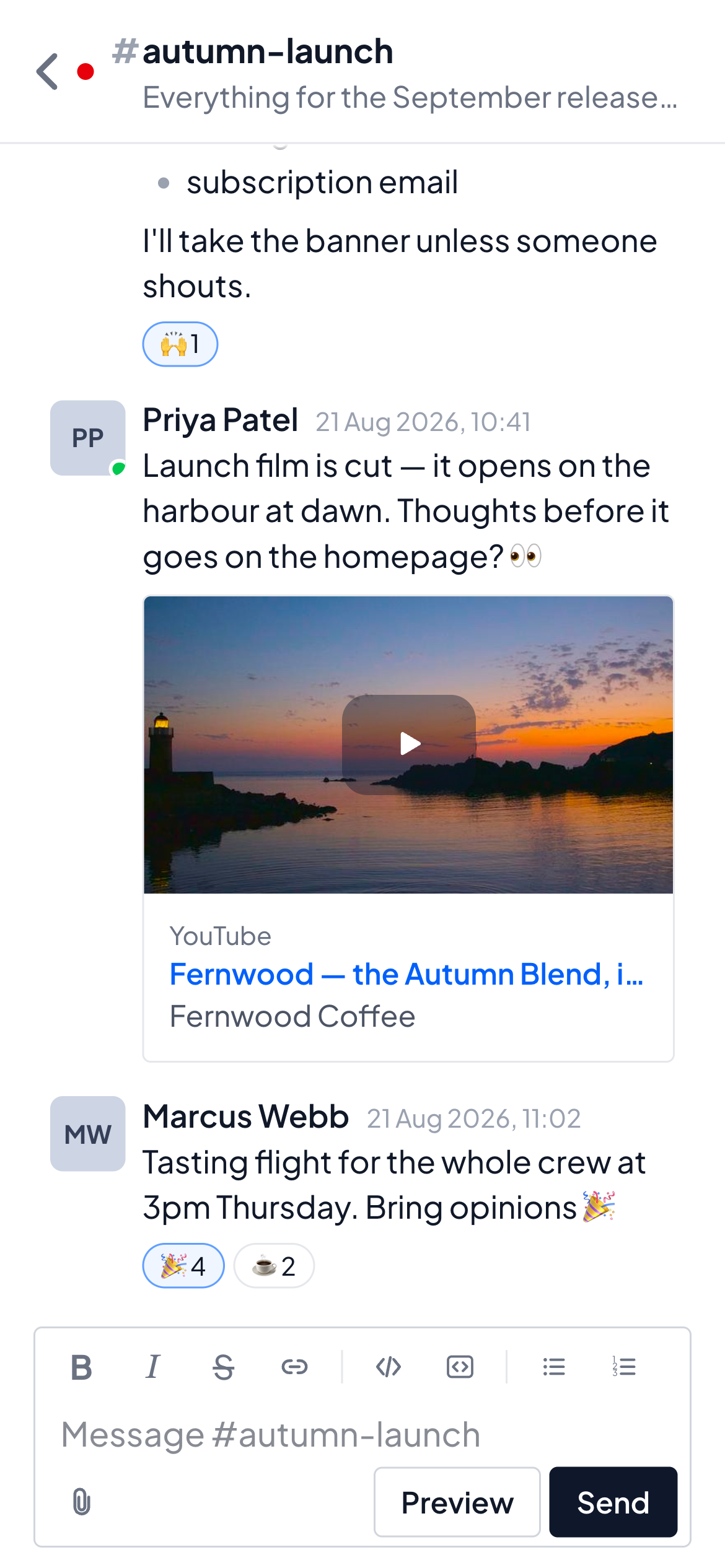
Not a cut-down version and not a separate app to keep up to date — the same Mob, arranged for a small screen, with nothing missing from it.
- Add it to your home screen and it gets an icon and opens full-screen, like anything else on the phone. There's no app store involved.
- Notifications come from your own server, so no outside company learns the hours your team keeps.
Make it look how you like
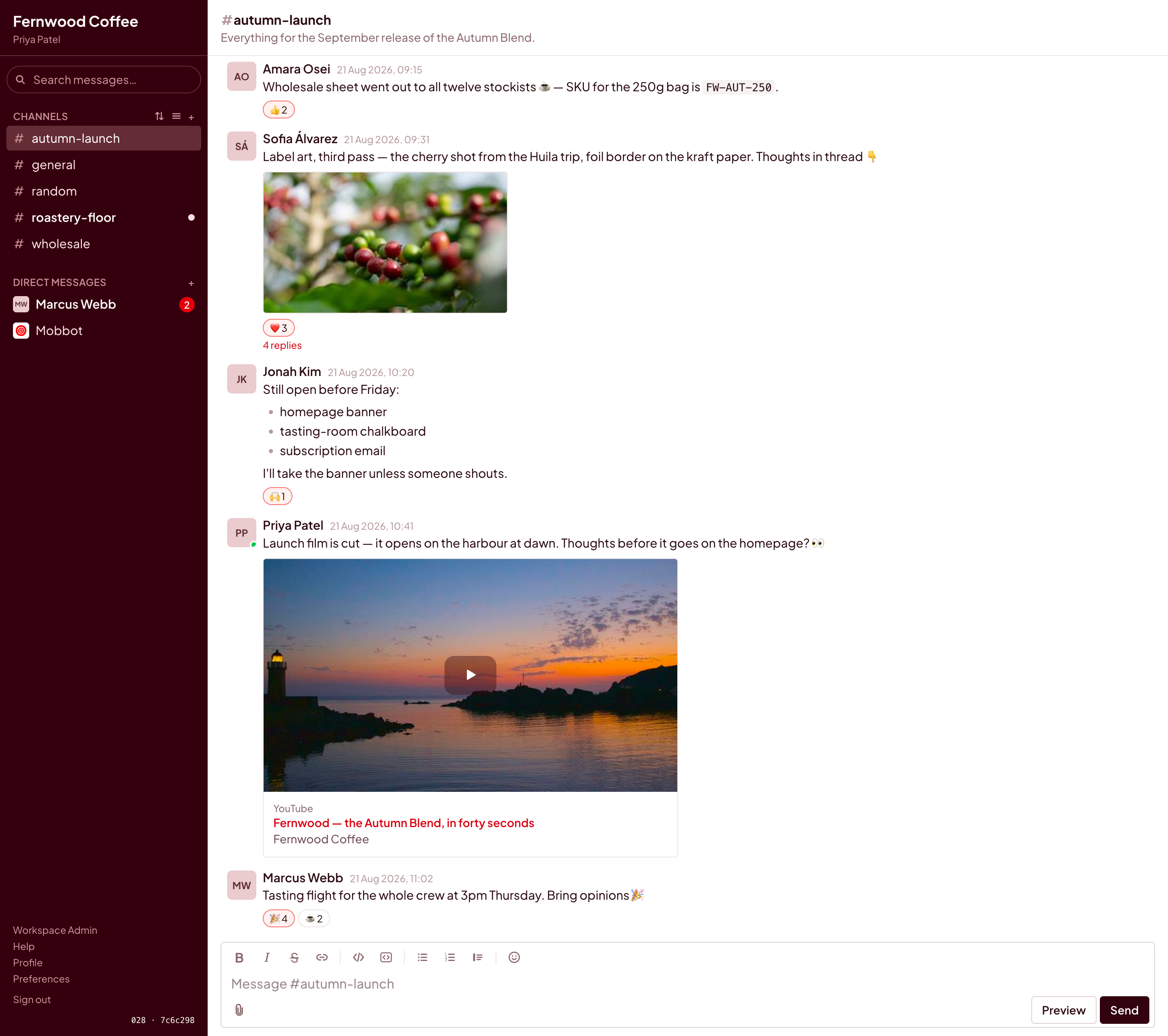
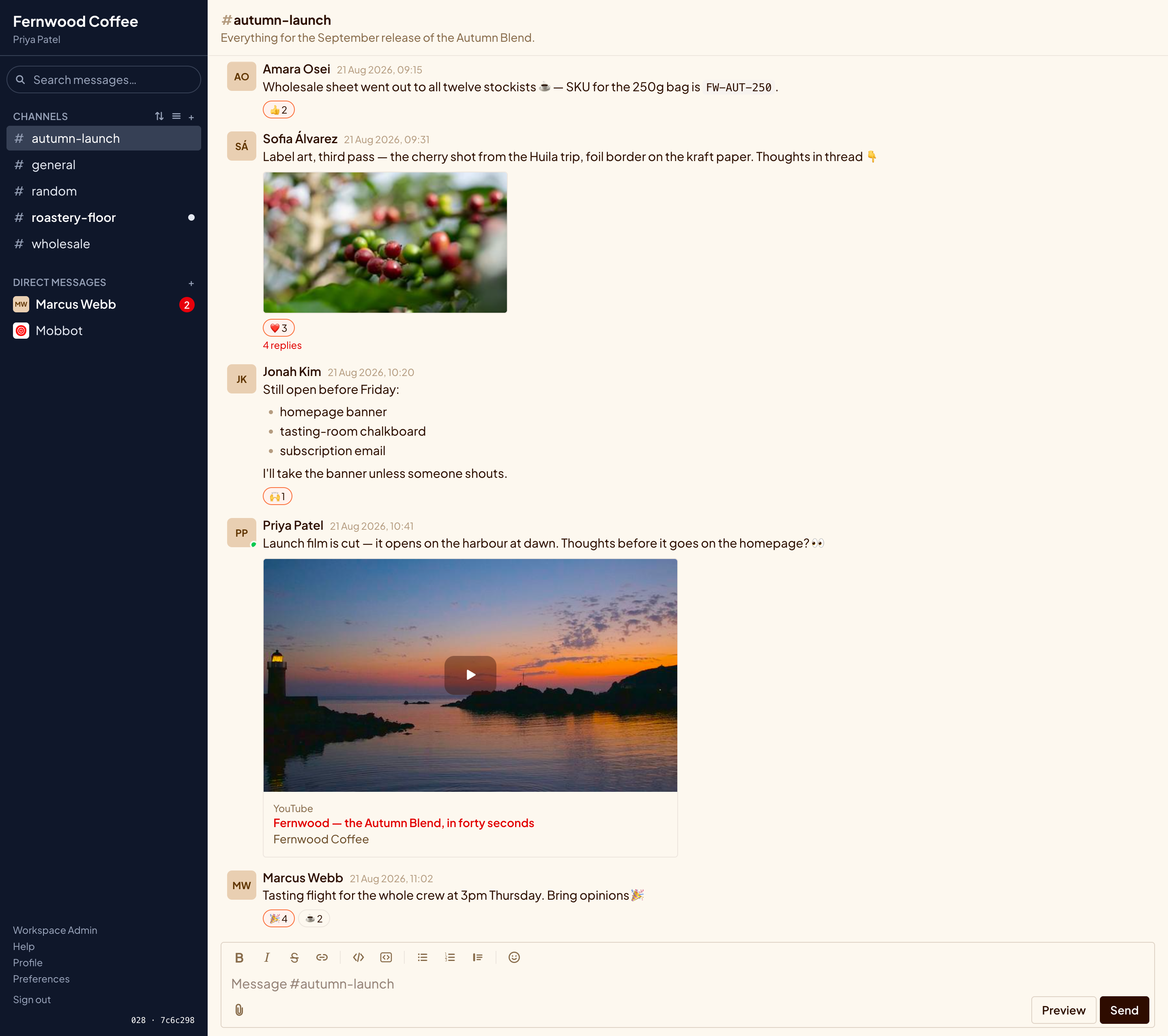
Light, dark, and several in between. Your workspace picks one to start everybody on, and anybody who prefers another can just have it. There's a colour editor if you want it in your own colours — and it won't let you build something nobody can read.
You don't start from an empty room
The reason people stay somewhere they've outgrown is the years of conversation they'd be walking away from. You don't have to.
Your history comes with you
Ask Slack for your export, hand the zip to Mob, and your public channels arrive with their messages, replies, reactions and original dates — so last March still reads like last March.
Your emoji arrive first
The custom ones your team made are loaded before the messages, on purpose: otherwise a hundred reactions come across meaning nothing.
People get their own words back
Old messages are matched to people through a list somebody checks by hand, not a guess. Each person is handed their own history the day they join.
Private stays private
Direct messages and private channels don't come across — an ordinary Slack export doesn't contain them. Nothing is dropped quietly, either: whatever an import skips is counted and reported at the end.
Signing in, however you like
A password, a passkey — your fingerprint or face, no password at all — or the Google or Microsoft account people already use for work.
Nobody wanders in
People join by invitation. There's a QR code for getting a whole room signed up at once, and signing in with Google never creates an account by itself.
Two bills — and the one that repeats
isn't mine.
The app is free forever. You rent a server from somebody, and I charge once for putting it all together.
The app itself
Every feature, every person, indefinitely.
- No fee per person — and no cheaper edition with the useful parts missing.
- Nothing counted: no message limit, no storage tier, no history that quietly disappears after 90 days.
- No trial that ends, and no account to create anywhere to get it.
- If you and I stop working together, nothing changes. It was on your server the whole time.
Getting it running
A one-off for the setup, and looking after it afterwards if you'd like.
- Installed properly on your server — the padlock in the address bar, the backups switched on, the whole thing written down and handed over.
- Your Slack history moved across, rehearsed on a copy first so the real one is boring.
- Sign-in wired up to the Google or Microsoft accounts your team already has, so this isn't one more password.
- The backup actually restored, in front of you. A backup nobody has ever restored is a hope, not a backup.
What owning it actually means
The part most pages leave out. It's a real server, so here is the honest account of what it asks of you once the novelty has worn off.
It updates when you say so
Nothing changes underneath you overnight. When a new version comes out, somebody runs one command — and it tells you what changed and waits for a yes before touching anything.
It backs itself up
On a schedule, to wherever you point it, messages and files together. Once a week it practises restoring one and complains loudly if that ever stops working.
It writes down who did what
Every change — somebody added, somebody removed, a setting altered — is recorded permanently and can't be edited afterwards. Dull until the day somebody asks.
If something breaks
There's a repair script that looks first and tells you what it found, and changes nothing without asking. And there's me, if you'd rather ring somebody.
It wants a little attention
Realistically: an update every month or two and a glance at it now and then. If that's nobody in your team, it can be me — that's the ongoing half of the paid work, and it's optional.
You can walk away
Your messages sit in an ordinary database and your files are ordinary files, on a machine you're paying for. Nothing here is locked to me, and there's no export to beg for.
Are you the one who'll be installing it?
Then this page has been keeping things from you. The technical version covers what it's built from, how it's deployed, what it needs from a machine, and the three commands that install, update and rescue it.
Have a look at it properly
Tell me roughly how many people you are, whether there's Slack history worth bringing along, and where you'd like it to live. I'll write back with what it would take and what it would cost — and I'll say so if I think you don't need it.
Ask me about it