 Mob
MobYour team's chat.
Your server. Your data.
Mob is a fast, focused, Slack-style chat — channels, threads, search, files and emoji — that runs on a single machine you control. The software is free and unlimited: hosting is the only running cost, and every message, file and backup stays in infrastructure that answers to you.
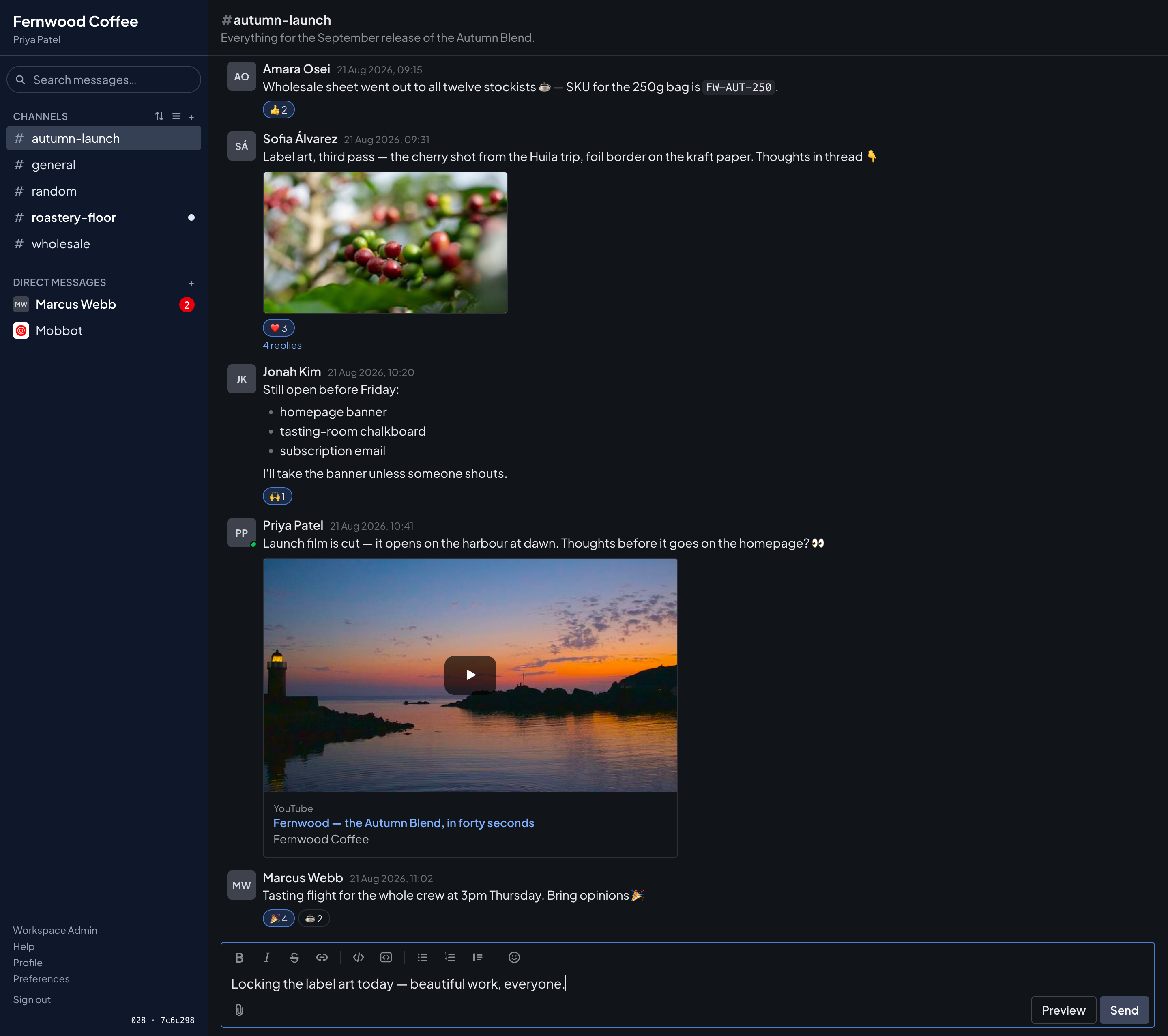
All of it is yours
Messages live in your PostgreSQL, files in your object storage, backups wherever you point them. Nothing phones home, nothing is metered, and leaving is trivial — it was always on your hardware.
Hosting is the only cost
Mob runs comfortably on one small server — the app, the database, file storage and a proxy that fetches its own certificates, in four containers. Your total running cost is your hosting bill, whether five people use it or five hundred.
Paid help if you want it
The software is free. What I sell is the work: installation on your infrastructure, migration from Slack, single sign-on wiring, backups with rehearsed restores. The deal, in full.
Everything a team chat needs.
Nothing it doesn't.
Channels, direct messages, threads, search, files, emoji, themes — built with strong opinions about attention and privacy.
Conversations that keep their thread
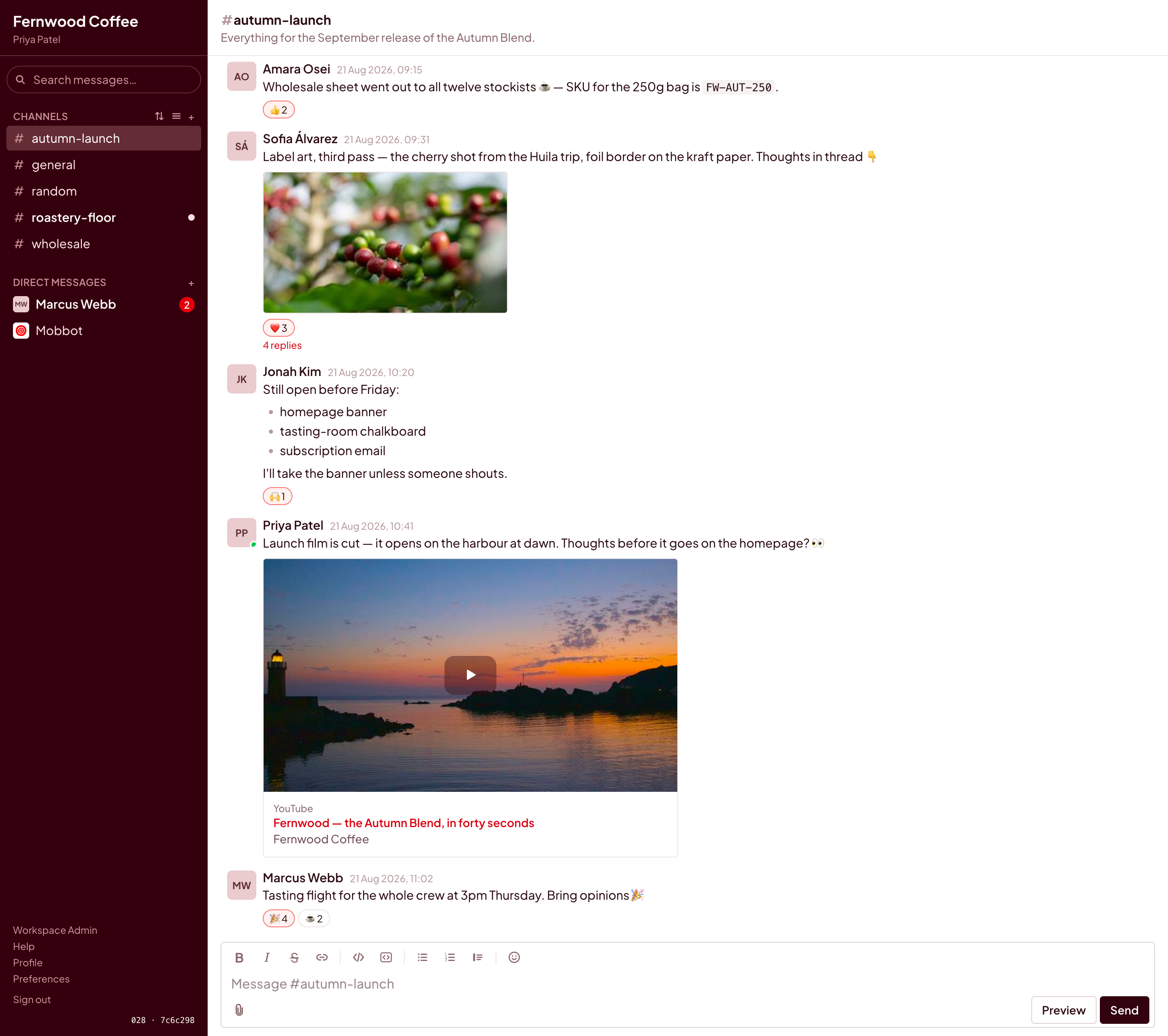
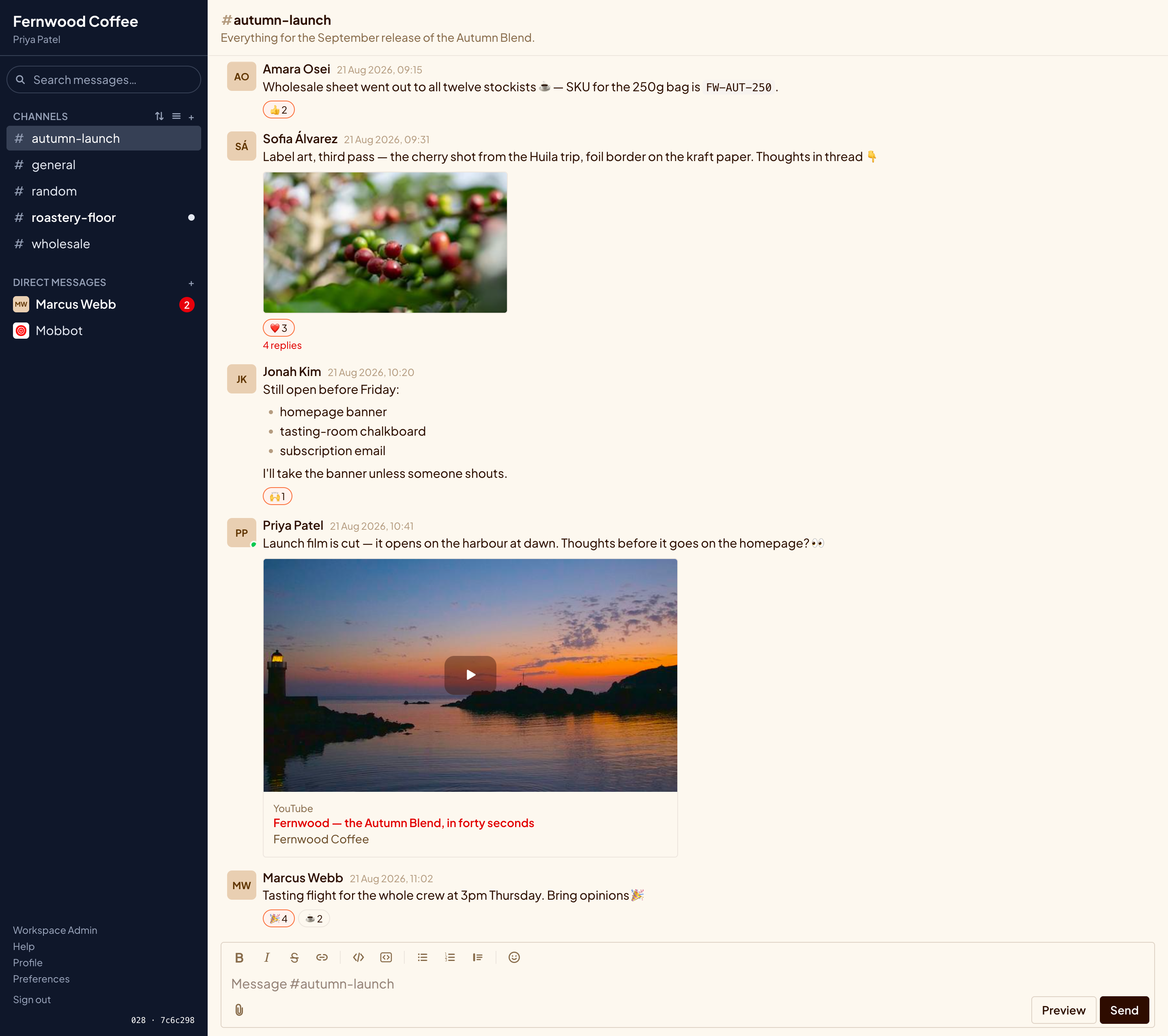
A reply belongs to its message, not to everyone's feed. The channel shows a quiet “4 replies” link; the thread opens alongside, with its own composer.
- Threads never mark the channel unread — only the people following them hear about replies.
- Markdown messages with a formatting toolbar, live preview, and code blocks that survive intact.
- Reactions and custom emoji — upload your own; imported Slack emoji keep working.
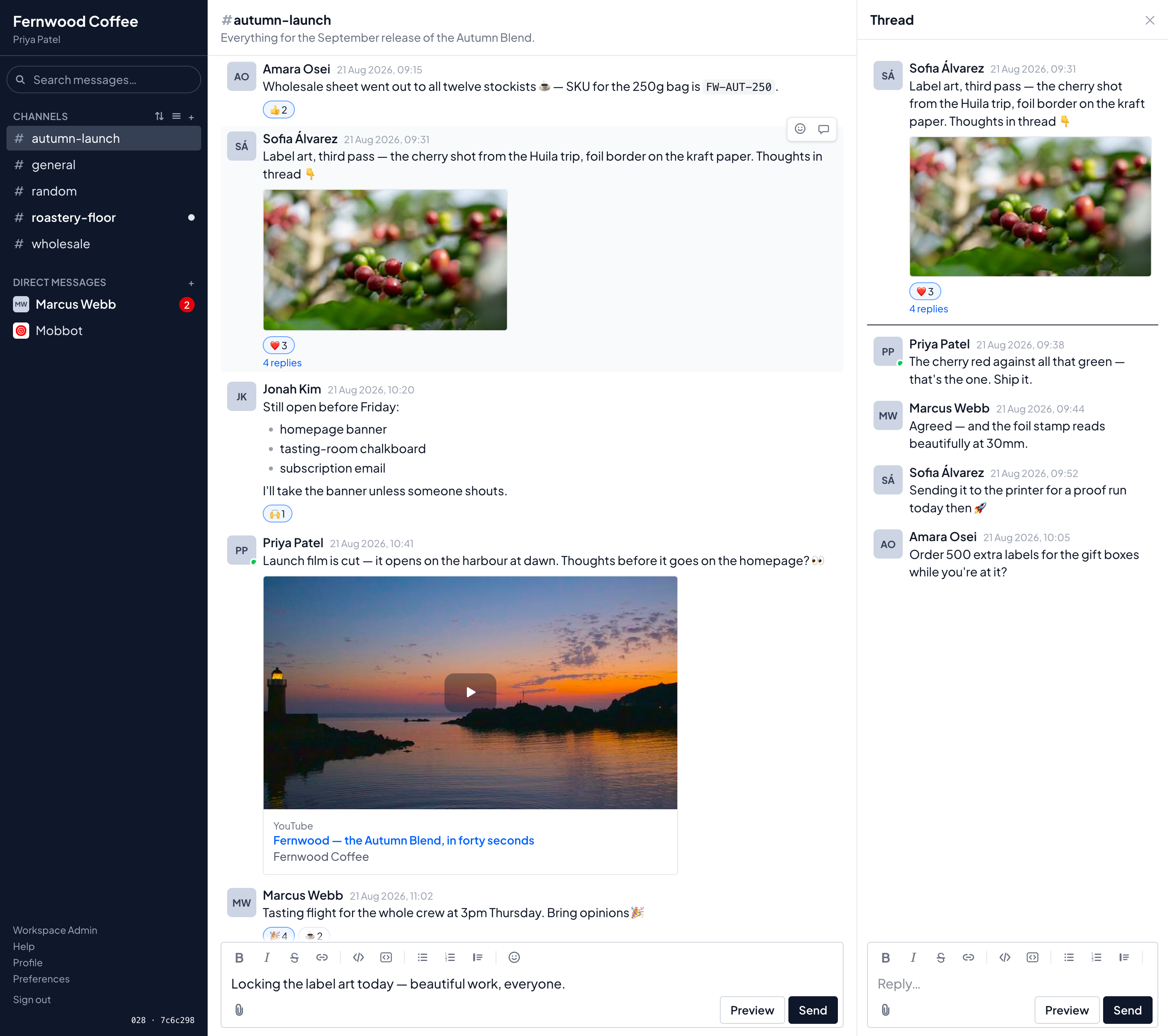
Unreads that respect your attention
Mob tracks how far you've read — nothing more. A channel with something new shows a dot. Only direct messages show a count. Open, read, move on.
- No read receipts, ever. Nobody sees when — or whether — you read their message.
- No typing pressure: the sidebar is a list of places, not a scoreboard of obligations.
- Scrollback that remembers your place, and never glues new messages under a gap you haven't read.
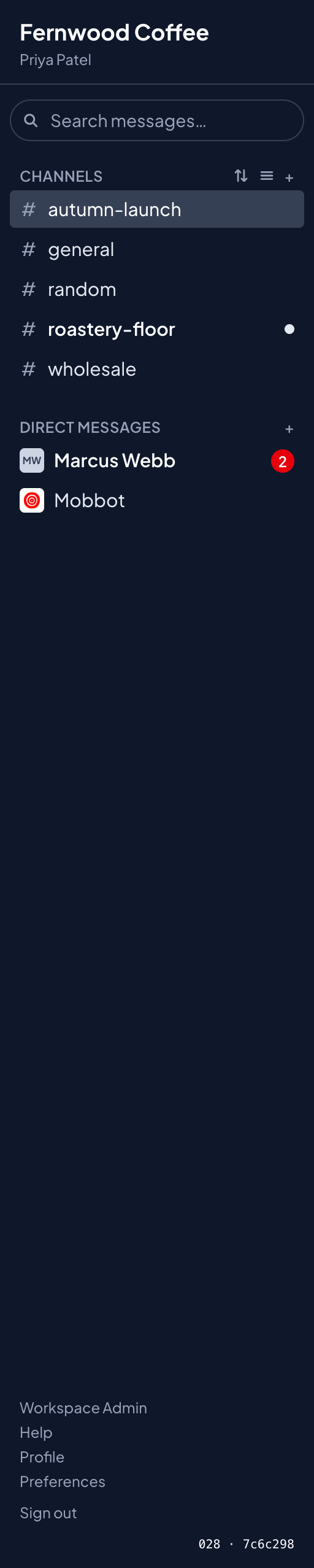
Find it again
Full-text search across every channel you belong to — and only those. Results show their channel and author, and link straight to the message where it happened.
- Search is a URL — linkable, re-runnable, back-button friendly.
- Emoji are searchable as words: a message containing :tada: is findable by “tada”.
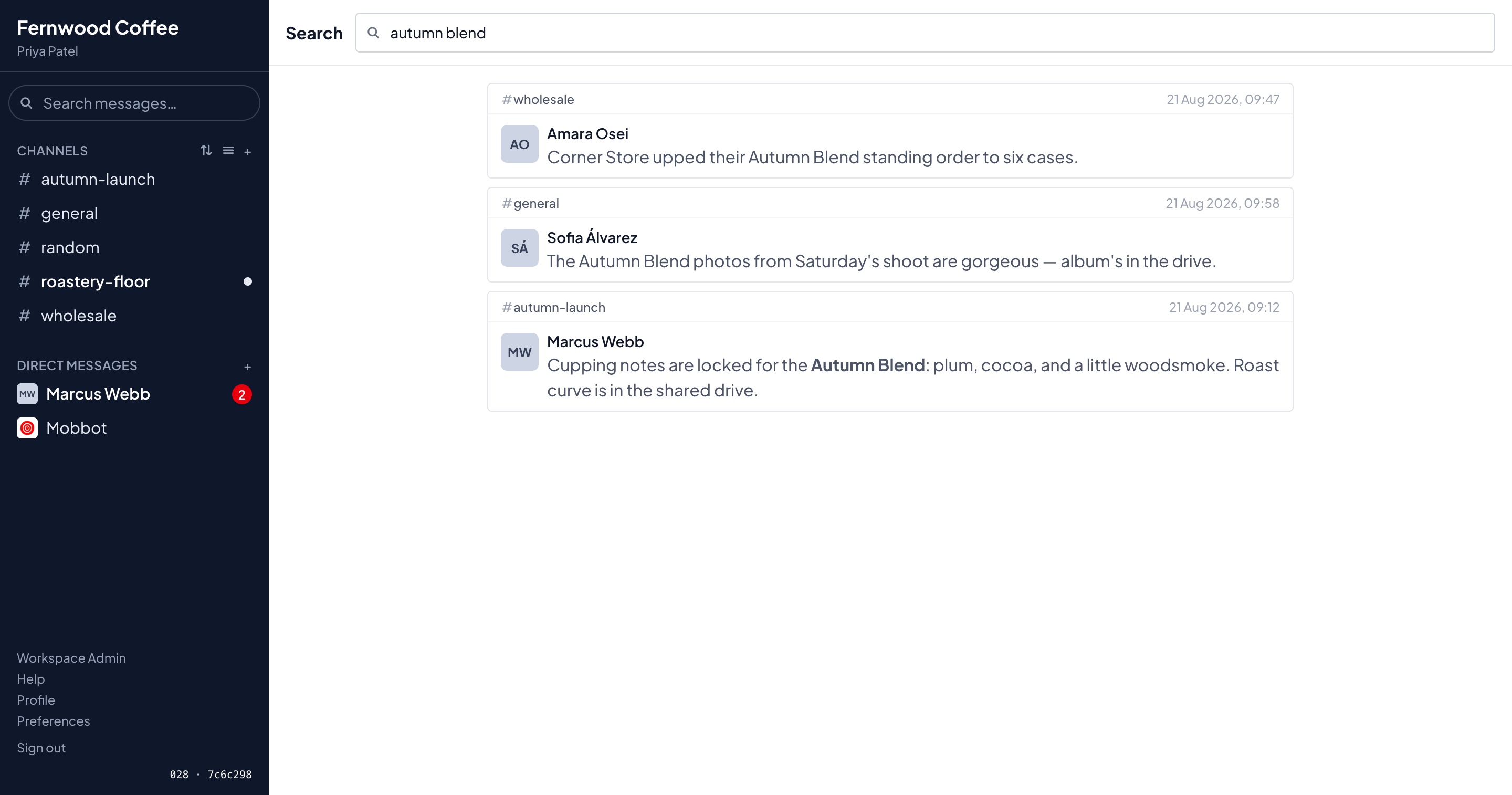
Files without the leaks
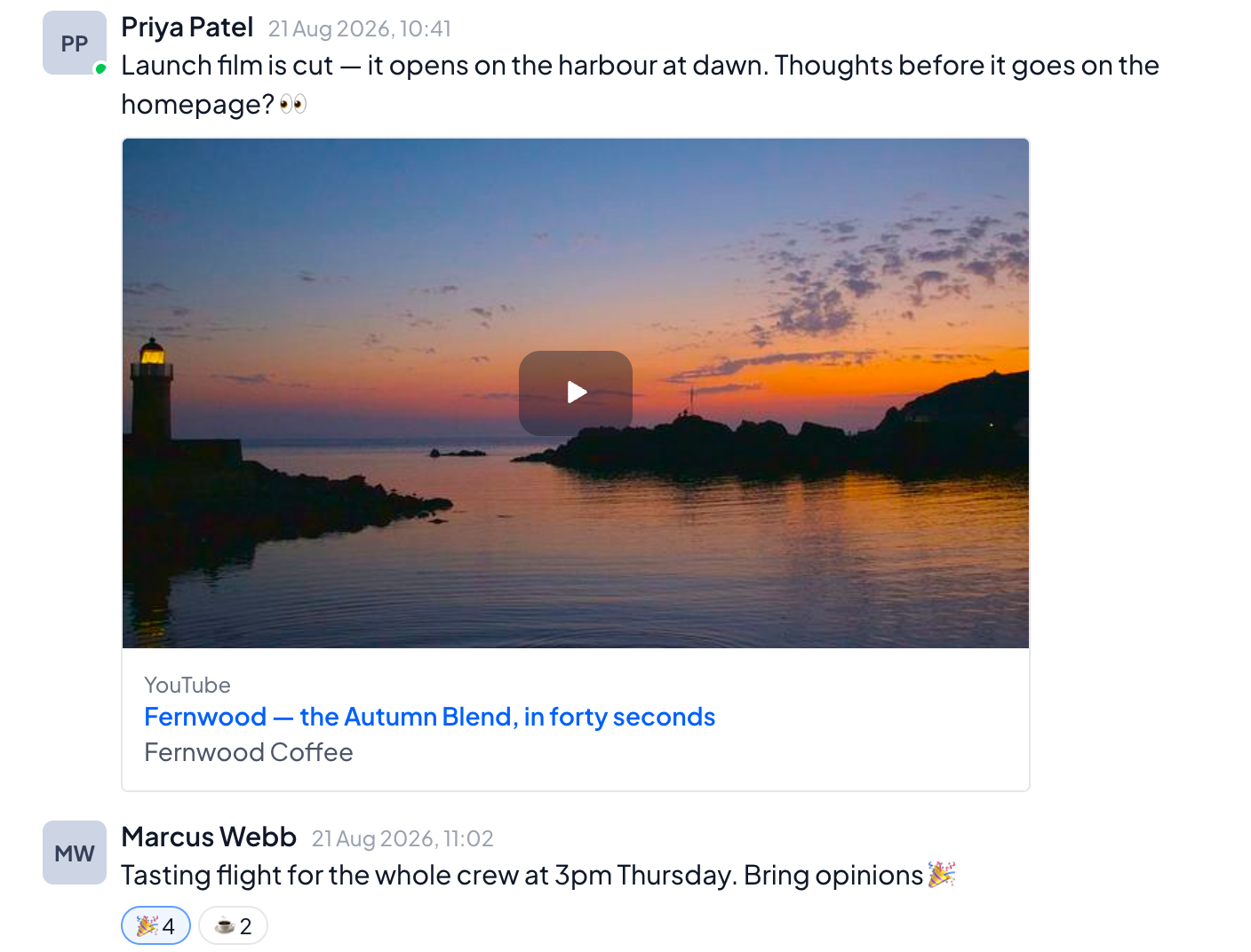
Attachments upload straight from the browser to your object storage — large files never tie up the app — and shared links unfurl into cards, with the reader's privacy as the design line.
- Link previews protect readers: the server fetches a page's card once and re-hosts the art in your storage, so nobody's browser ever touches the linked site just by scrolling past it.
- A video link is a still and a play button. YouTube and Vimeo are contacted only when somebody presses play — and then through the reduced-tracking embed host. The click is the privacy line.
- X and Mastodon posts draw as words — the author and the text, embedding nothing at all.
- Everything lands in your bucket — S3, R2, Spaces, or the bundled store.
Run it with confidence
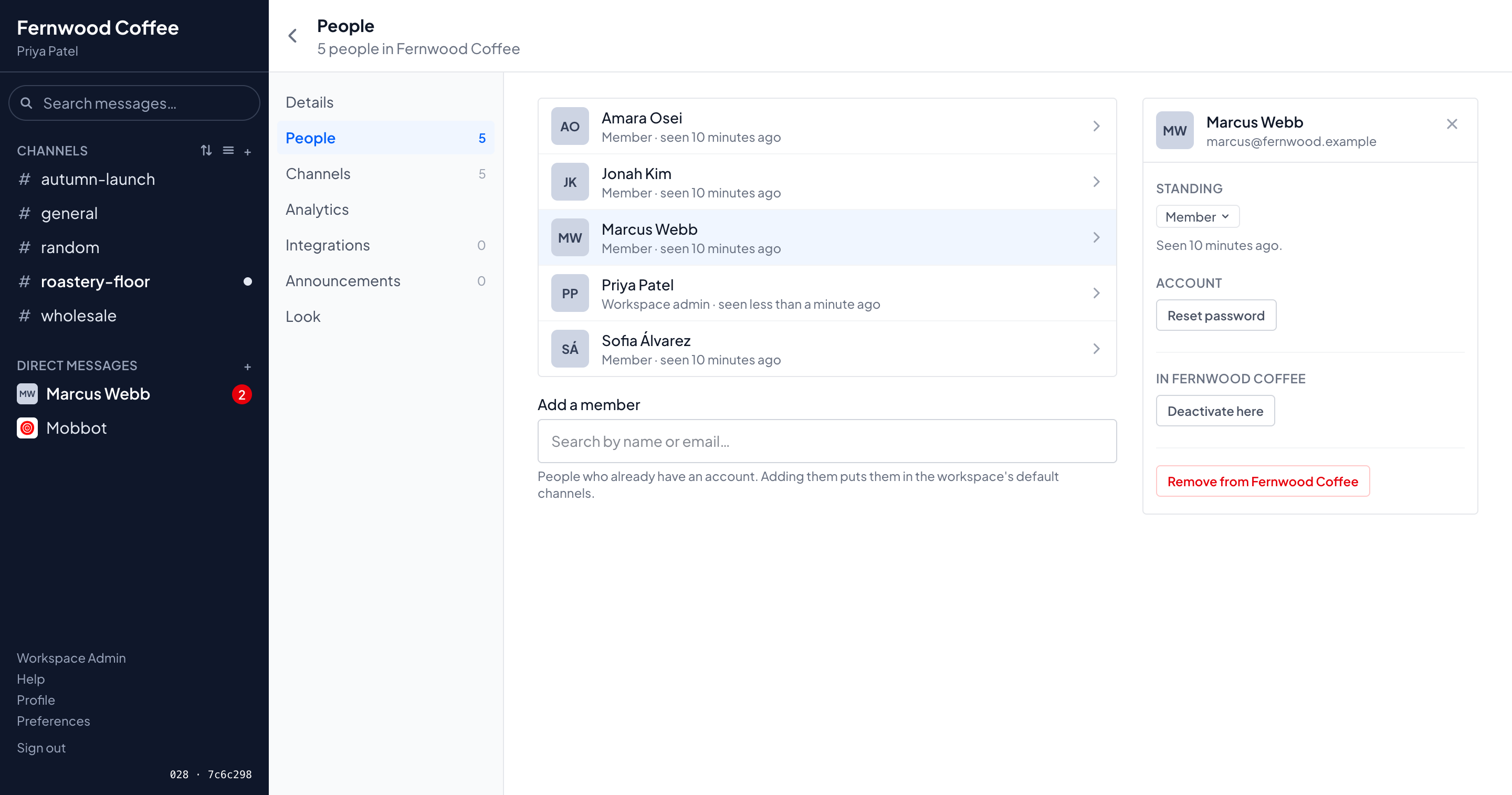
Admins get one calm screen per job: the roster with an inspector beside it, roles, deactivation, password-reset links you can hand over in person.
- An append-only event log records every change in the same transaction that made it — who did what, when, kept by value, built to outlive its subjects.
- Backups run from inside the app on a schedule, mirror your uploads, and rehearse a full restore every week. A backup you've never restored is a hope, not a backup.
- Announcements with a shelf life — a word from the admins across the installation, one workspace or one channel; dismissible per reader, gone when it lapses.
- The manual ships in the app at
/help— user, admin and operator guides, versioned with the code they document.
The whole app, on your phone
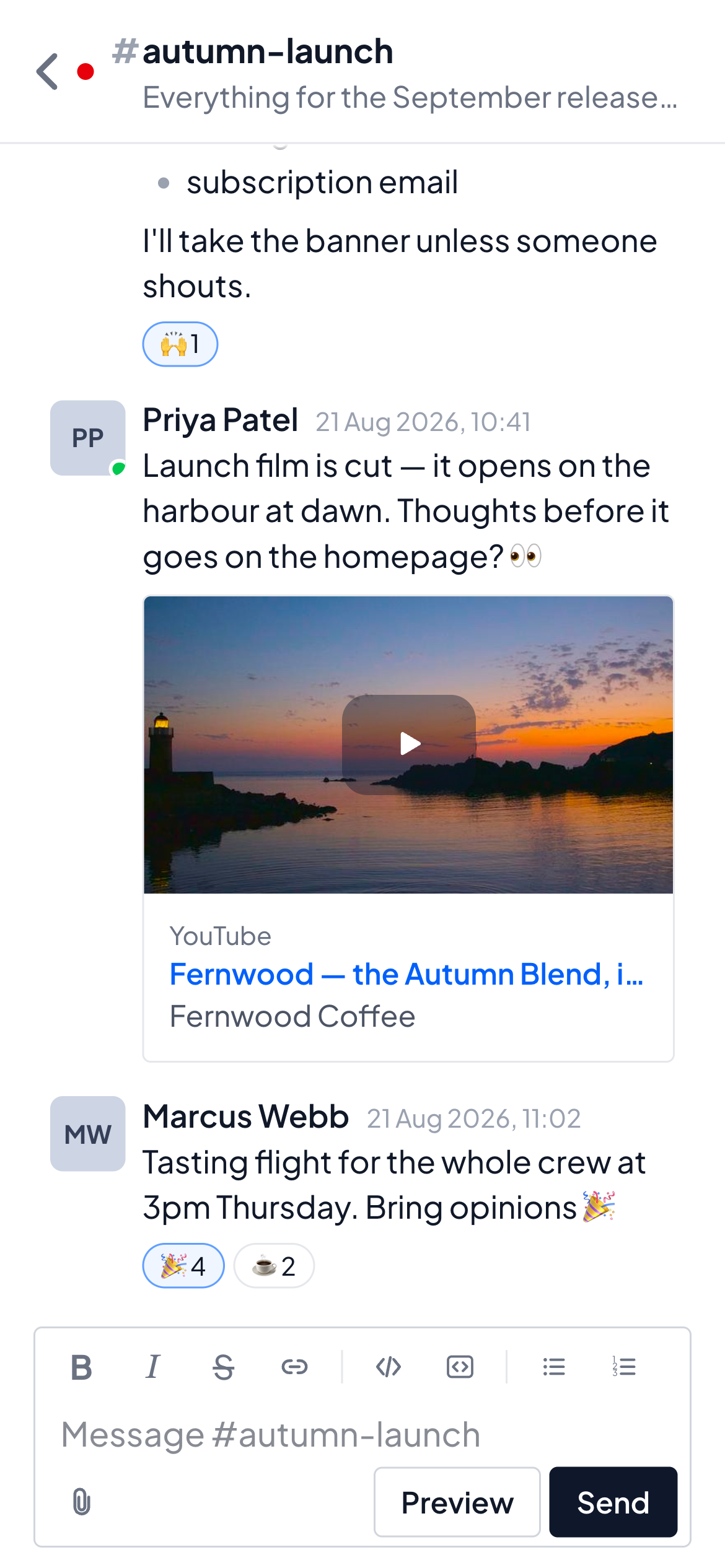
The same application, not a second product: below tablet width Mob shows one pane at a time with nothing missing — long-press where desktop hovers.
- Installs from the browser: Add to Home Screen gives you an app icon and a full-screen app.
- Push notifications come from your server — no third-party notification relay learns your team's rhythms.
Make it yours
Light and dark are just themes — along with Midnight, Ocean, Forest, Crimson, Sandstone and yours. Build one in the editor: pick hues, and every surface follows. Lightness stays pinned by the palette, so no theme anyone builds can break readability. Workspaces set a default; people can keep their own.
Bring your history with you
Leaving Slack shouldn't mean starting from zero.
Slack import, properly
Channels, messages, threads, reactions and link previews come across with their original timestamps — run from an admin screen, no terminal required. Custom emoji import first, so reactions still mean something.
People matched by hand
Authors map to accounts through a CSV you correct yourself — a judgment a human makes once, not a guess a script makes silently.
History that finds its owner
Imported authors arrive as unclaimed accounts. A reset link hands each person their own history the day they join.
Sign-in that fits
Passwords, passkeys, Google and Microsoft sign-in, or your Entra ID directory — including two tenants at once. Workspaces can require SSO.
Invitations, not open doors
Accounts arrive by invitation — a signed link an admin can mail, message or hand over on paper. QR join links cover the room; SSO alone never creates an account.
Bots, webhooks and an API
Bearer-token integrations post messages, start DMs, look people up by email and set up channels through a versioned API — and an incoming webhook is a URL that posts to exactly one channel, for anything that cannot send a header. Managed from an admin screen with revocable tokens; a dependency-free Python client ships in the source tree.
Boring technology, deliberately
Written for the person who has to run it at 2am. Fewer moving parts, louder failures, nothing exotic.
Rails 8 + Hotwire
Server-rendered HTML over WebSockets — Turbo, Stimulus and ViewComponent. No SPA, no client-side store to drift out of sync with the server, and nothing rendered twice in two languages.
One PostgreSQL 18
Messages, the job queue, the cache and WebSocket fan-out are all Postgres — Solid Queue, Solid Cache and Solid Cable, in their own databases on the same server. There is no Redis to babysit.
Zero Node
JavaScript is importmap-pinned Stimulus; CSS builds through Tailwind's own binary.
No npm install, no bundler, no build chain to rot between one release
and the next.
Time-ordered ids
Every primary key is a UUIDv7, so ids sort chronologically — unreads, paging and
history imports all lean on it. Native uuidv7() support is why the
requirement says Postgres 18 rather than just Postgres.
Data you could leave with
Messages are Markdown in Postgres rows, files are ordinary objects in a bucket
you own. Everything is legible with psql and an S3 client — an exit,
or an audit, never waits on an export format.
Four containers, or five
A proxy, the app, Postgres and S3-compatible storage on one box. Jobs run as threads inside Puma by default; one variable moves them into a fifth container and drops the in-Puma flag together, so the two can never disagree — and no code is allowed to know which is in force.
Any object storage
Ships with Silo, a maintained MinIO fork pinned by digest. Point two variables at S3, R2 or Spaces instead. Uploads are presigned and go browser-to-bucket, so no worker process ever carries file bytes.
Compose, or Kamal
install.sh writes a Compose stack and is the standard deployment;
Kamal is the second way and wants a checkout on the deploying machine. Same
published image either way, and nothing in the app knows which one deployed it.
Fails loud
Production refuses to boot with configuration missing, rather than failing quietly days later when a value is first needed. Every variable is named, defaulted and marked required in one file — never defaulted at the point of use, where two consumers each carrying a fallback drift apart in silence.
Settings live in one place each
The environment holds only what cannot come from a table: the database's own credentials, Puma's shape, and secrets a backup would otherwise copy. Everything else is policy an operator changes without a deploy, and is a row. Nothing is in both, so there is no second copy to go stale.
An OpenAPI spec pinned to the router
/api/v1 is described by an OpenAPI 3.1 document, and a test pins it to
the running app in both directions. Adding an endpoint without documenting it
fails the suite; so does documenting one that no longer exists. A spec nobody
checks is worse than none, because it is believed.
The manual cannot drift
User, admin and operator guides ship inside the image at /help,
versioned with the code they document. Prose that names an environment variable
or a rake task is checked by the test suite — a rename fails the build, not the
reader.
Strict by construction,
not by configuration
The parts an evaluator asks about, stated plainly.
Content Security Policy
No unsafe-inline and no unsafe-eval, per-request nonces
for Hotwire's boot scripts, and frame-ancestors 'none'. New JavaScript
is a Stimulus controller or it does not run at all.
Files live on their own origin
The second DNS name is a security boundary, not a convenience: uploads are served from a different origin than the app, so user-supplied content can never reach a session cookie or the app's DOM.
The Markdown pipeline
Tag-shaped text is escaped, rendered with raw HTML dropped rather than passed through, put through a hard tag and attribute allowlist, and its links defanged. Raw user HTML reaches neither the database nor the DOM.
Sessions are rows
A database row plus a signed, HttpOnly, SameSite=Lax
cookie. Deleting the rows ends every login at once, cable connections included —
which is what a password change and a deactivation do, and what the sign-out
controls do on purpose: anyone can end their own browsers from Preferences, and
the organization can end one account’s or all of them. Bearer tokens are
sessions too and are deliberately left out of both, so a button about people
cannot take every integration down with it.
The API has no cookie jar
Bearer tokens only, so there is no CSRF surface to defend. A token is a signed session id: nothing stored in the table is itself a credential, and revoking one is deleting a row.
Nothing signed is stored
Invitations, password resets and email changes sign the record rather than saving a token, so expiry, single use and revocation fall out of the signature instead of bookkeeping. A stolen dump of the table opens nothing.
WebSockets
Cookie-authenticated at the handshake, with request origins pinned in production against cross-site hijacking, and stream names signed — so a channel's stream cannot be guessed or forged.
Uploads
Strict bucket CORS, short-lived presigned URLs, and SVG refused outright — a format that is a document carrying script rather than a picture has no place in a chat room.
Redaction withholds, server-side
A redacted message's words are replaced before the HTML leaves the server — a CSS blur would leave every one of them in the DOM. Search excludes redacted messages rather than blanking them, because a hit is itself a confirmation.
What it doesn't do
Some of these are simply not built. The rest are decisions, and knowing which is which before you install is worth more than a feature matrix.
No voice, video or huddles
Not built, and not close. Text, files and threads are the whole product; a call belongs to something else you already pay for.
No channels shared between organizations
There is no Slack Connect equivalent. A workspace is a room of one installation, and two organizations talking to each other is not something this models.
No read receipts — a decision
Unreads are a high watermark and nothing else. There is no per-message read state to switch on, and adding one would mean a row per person per message.
Workspaces are rooms, not tenants
One installation is one organization. Keeping unrelated tenants apart is what a second instance is for — its own database name, its own bucket — and separating by workspace would be a security boundary made of application code.
The Slack import takes public channels
DMs, group DMs and private channels are not imported; a standard export does not contain them. Everything an import skips is counted and reported at the end, never dropped quietly.
SSO never creates an account
No just-in-time provisioning. A directory can prove who somebody is; an invitation is what says they belong here — and identity resolves by provider uid first, address only as a fallback.
No native mobile app
The same server-rendered app, installed from the browser. Push notifications come from your own server, and there is no app-store release train between a fix and the people using it.
Mail is optional, so some things are absent without it
Invitations and reset links are links an admin can hand over by any route. But confirming an email change genuinely needs a mailer, so with no transport configured that feature is missing rather than broken.
No Redis, no Node, no build chain
Deliberate, and it constrains contributions as much as deployments: JavaScript is
importmap-pinned Stimulus, and there is no npm install in which to add
a dependency.
The software is free.
You pay for hosting — and, if you want, for hands.
Run Mob yourself and your only bill is the server's. Or have me stand it up, move your history in, and hand you the keys.
The software
Costs what your server costs. Nothing else.
- Every feature, every seat — no editions, no unlock keys, no metering.
- One small machine runs it: a modest VM plus object storage is a complete installation.
- Your data stays put — in your Postgres, your bucket, your backups. Nothing reports usage anywhere.
- The operator's manual ships inside — installing, configuring, storage and deploys, served at
/help.
The work
Installation, migration and integration — done for you, on your infrastructure.
- Installation & hardening on your VM or cloud account, TLS to backups, handed over documented.
- Slack migration — history, threads, reactions, emoji and people, rehearsed before the real run.
- Single sign-on wiring — Google, Microsoft, Entra ID directories, SSO requirements per workspace.
- Backup & restore drills — scheduled backups with the restore actually proven, plus ongoing care if you want it.
Install it yourself
You need a Linux machine, and two names in DNS pointing at it — one for Mob, one for the files people upload. That is the whole list, and a bare image meets it: on Ubuntu, Debian, Fedora and the RHEL family the installer puts Docker on the machine for you. There is no build step, nothing to compile, and no account to make anywhere.
It installs Docker if it is missing, asks for the two names, generates your
secrets, writes a .env and starts everything: Mob, Postgres,
blob storage, and a reverse proxy that fetches its own TLS certificates.
Give it a couple of minutes on the first run, then sign in.
Piping a stranger's script into a shell is a thing you are entitled to refuse. Read it first — it does nothing you could not do by hand:
Or skip the script and take the pieces yourself:
compose.yaml,
Caddyfile and
env.example. Copy the last one to
.env, fill in the six values it asks for, and
docker compose up -d. Every optional setting — mail, single
sign-on, push notifications, backups — is documented in place in that file,
and the operator's manual ships inside the app at /help.
Moving to a newer release
An installation is pinned to the release it fetched, and nothing moves until you say so — no automatic updates, no version that changes under you while you are asleep. When you want to move, the installer left an updater beside the stack:
It asks the registry which release is newest, tells you which one you are running, and points you at what changed. Then it stops and waits: nothing restarts until you say yes. After that it raises the pin, pulls, restarts, and watches until the app answers — and if it does not, it prints the log command and the two lines that put you back where you were.
It replaces itself before each run. The copy on your machine was written by whichever release installed it, and the steps for moving onto a release are the ones shipped with that release — so it fetches a fresh copy and hands over to it. A machine that cannot reach this site carries on with the copy it has and says so; being unable to check for a newer script is not a reason to refuse to update.
There is nothing magic in it. Updating is three things — raise
MOB_VERSION in your .env, docker compose
pull, docker compose up -d — and doing them by hand is
an equally good answer. Migrations run on the way up, through every release
between yours and the one you are taking, so being several behind costs you
nothing but a longer first start. As with the other two, read it first if
you would rather:
What changed in each release, written for somebody deciding whether to take it, is on the releases page. Take a backup before a big jump — the same advice as everywhere else, and the reason the section below exists.
If the server is down: restoring
This section lives here on purpose. The manual ships inside the app, so the
one day you cannot reach /help is the day you need it — start
here instead. On the machine (or a fresh one you have just reinstalled on),
anywhere on it — the script finds the installation, asking Docker where the
stack was started from if it has to:
sudo because an install done as root lives under
/root, where your own account cannot see it. Run it as whoever
installed Mob and you can drop the sudo.
Diagnosis is free, and comes first. Before it offers to change anything it reports what state the installation is actually in — containers, database, files, which release, and what the backup destination holds — and if the app is down it prints that container's last log lines, which is the thing you cannot go and read for yourself. Only then does it offer the repairs that fit, each behind its own confirmation; the destructive step demands the database's name typed back. It runs even with no backups configured, and even on a Mob too broken to start, because the app is never booted. As with the installer, you are entitled to read it first:
What it needs from you: access to the backup destination, and the
BACKUP_ENCRYPTION_KEY from your .env. Which is the
part to arrange today, while everything works: keep a copy of your
.env — or at least its keys — somewhere that is not the server,
and confirm backups are configured, because Mob rehearses a real restore
weekly only once they are. A backup you've never restored is a hope; a key
that lived only on the dead machine is a lock.
Want it running by Friday?
Tell me about your team — size, where you'd like it hosted, and whether there's Slack history to bring along. I'll reply with a plan and a quote for the setup work.
Talk about an installation